Alma AI Assistant
Ask questions about your farm data, get summaries, and generate practical insights quickly.
What Can Alma Do?
Answer Questions
Ask anything about how Numanac works, or about your farm's record history.
Analyze Records
Summarize past records by field, date range, or crop type.
Transcribe Voice Logs
Automatically turns your spoken words into structured farm records.
Generate Reports
Ask Alma to create a farm record report for any time period.
Translate Records
Translate records into Spanish, English, Portuguese, and more.
Focus Mode
Restrict Alma's answers to a specific field or date range for targeted insights.
Chatting with Alma
Use the Chat tab in the app to have a conversation with Alma about your farm.
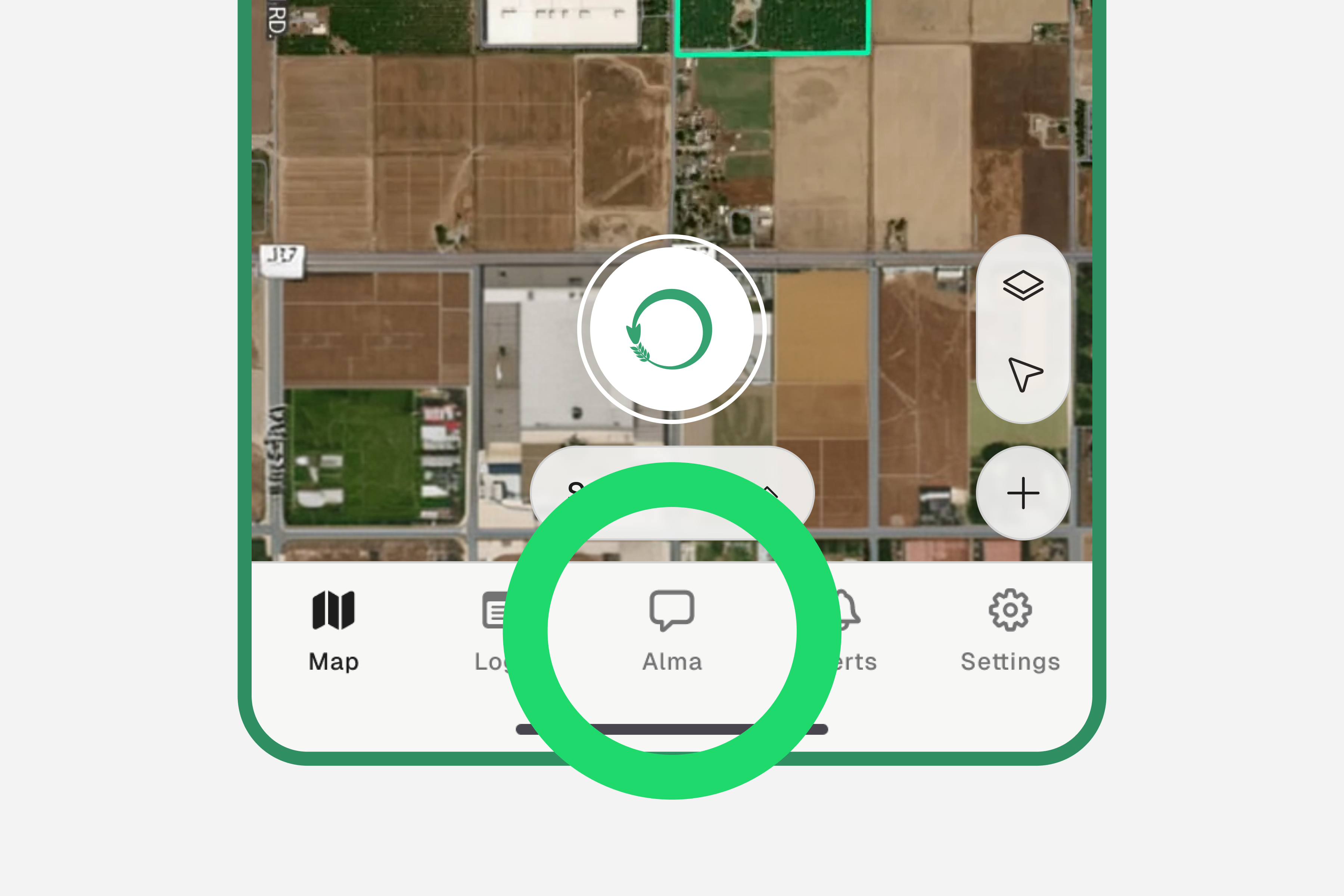
Tap the "Chat" tab
The Chat tab is in the bottom navigation bar of the app.
Type your question or tap the mic to speak
You can type in any language. Alma will respond in the same language you use.
Examples
- →“What happened in field 3 last week?”
- →“How many irrigation records do I have this month?”
- →“Give me a summary of this week's activities”
- →“What's the weather like at my farm today?”
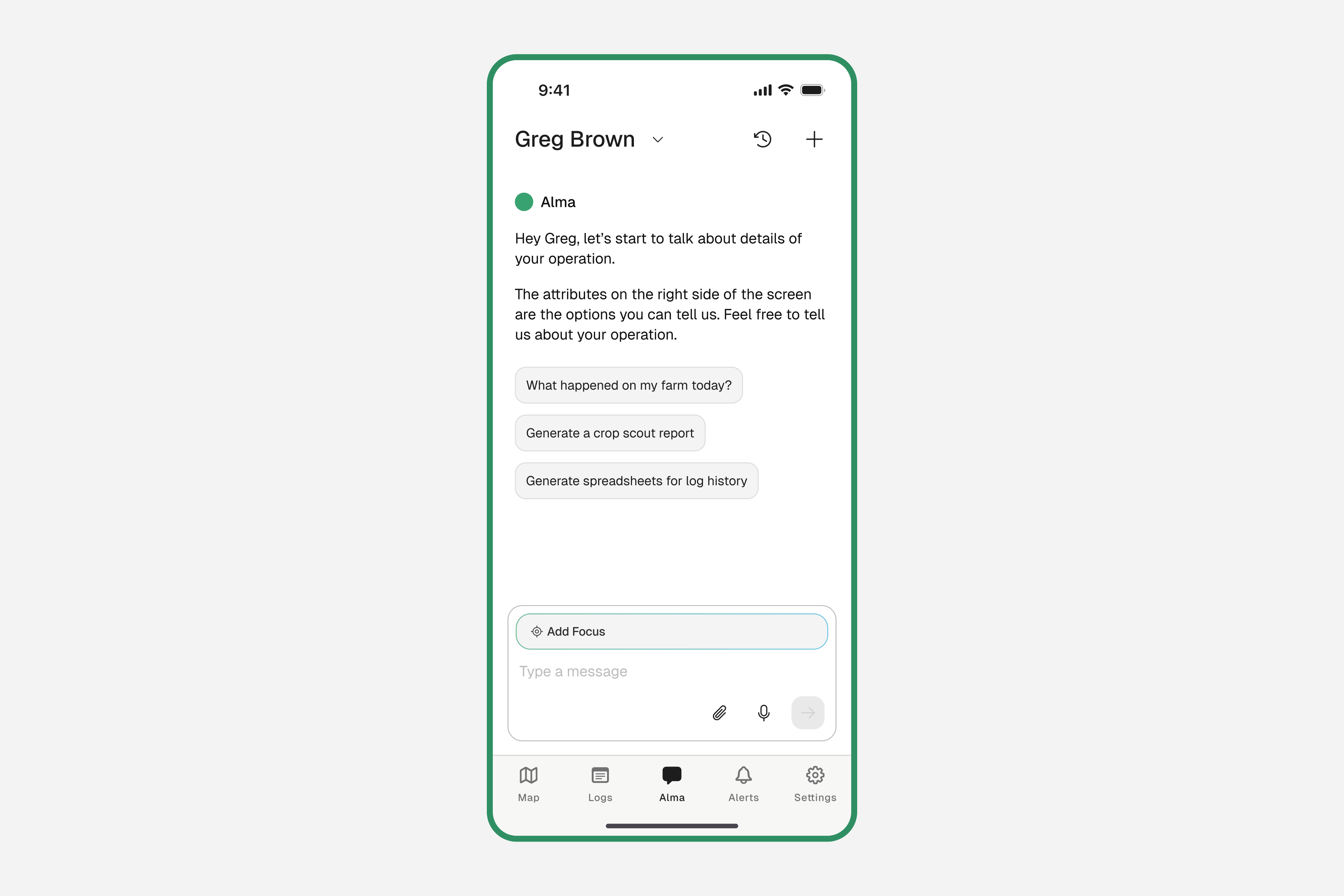
Get insights from your farm data
Alma responds with insights drawn directly from your records, tasks, and weather data. Keep the conversation going — ask follow-up questions, request a summary, or dig into a specific field. The more you interact, the more useful Alma becomes.
The more records you log, the richer Alma's answers get. It builds understanding from your history over time.
Using Focus Mode
Tell Alma to only look at a specific field or date range when answering.
Tap "Add Focus" in the Chat screen
You'll see the "Add Focus" button near the top of the chat interface.
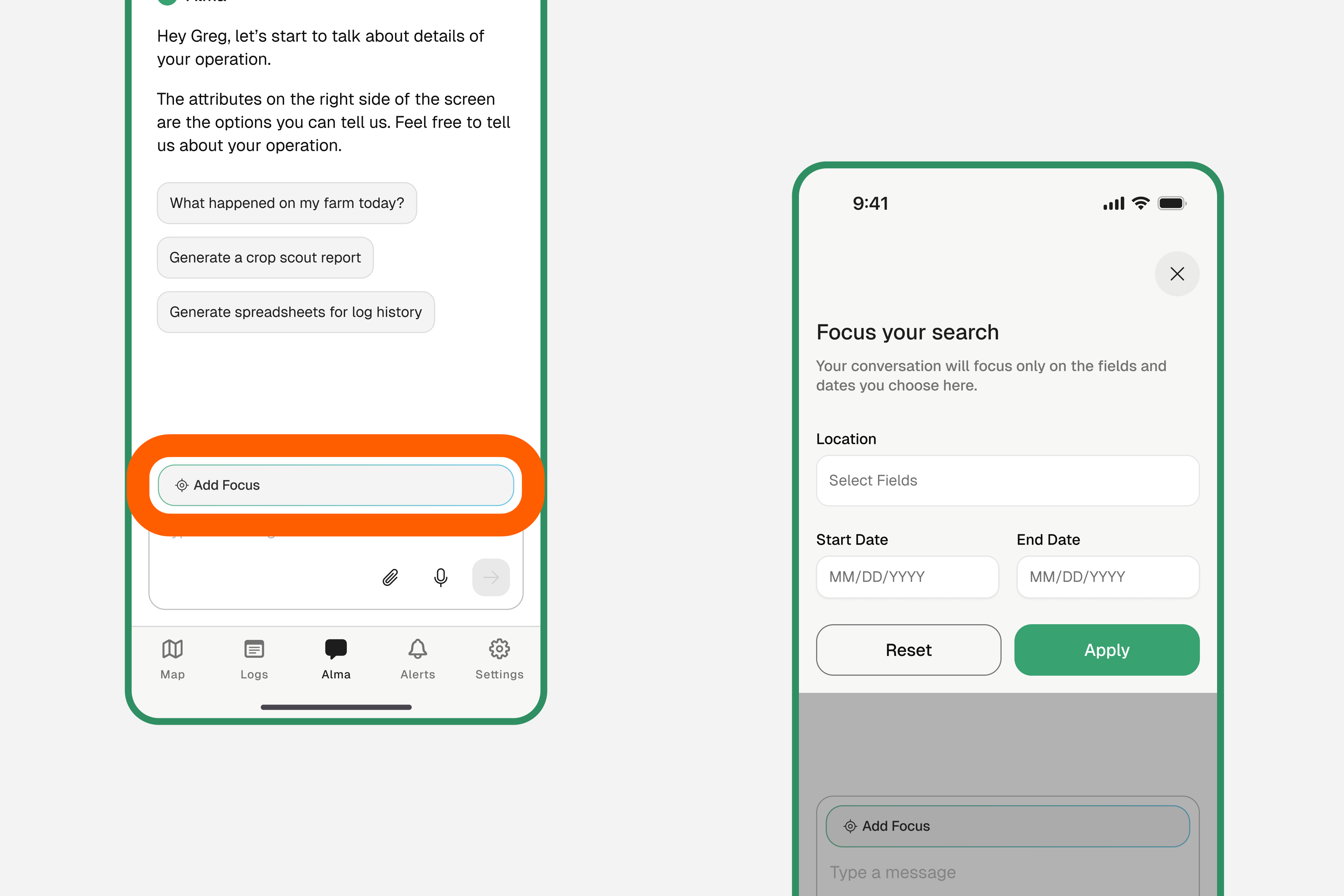
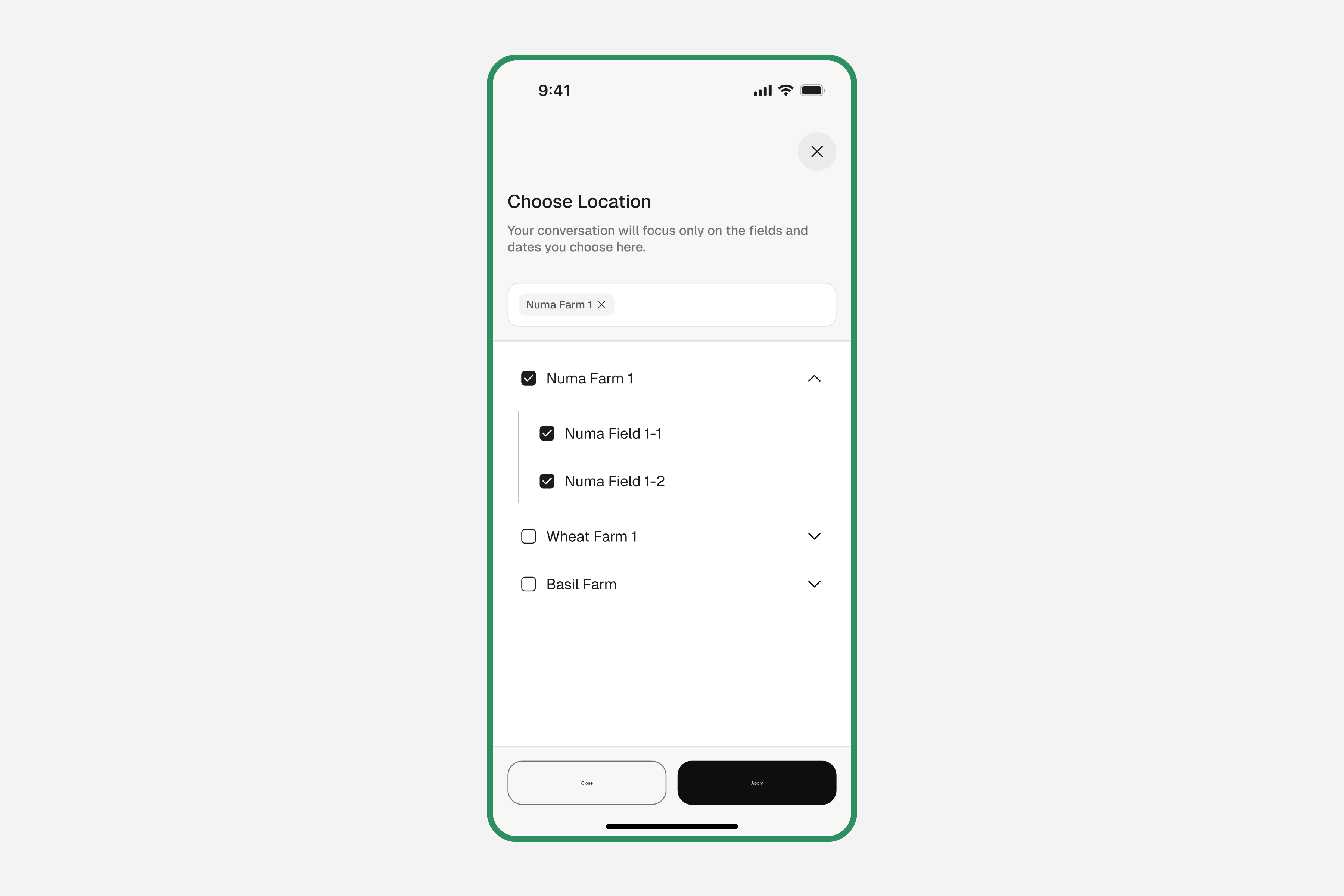
Select a location
Choose which farm, field, or tract you want Alma to focus on.
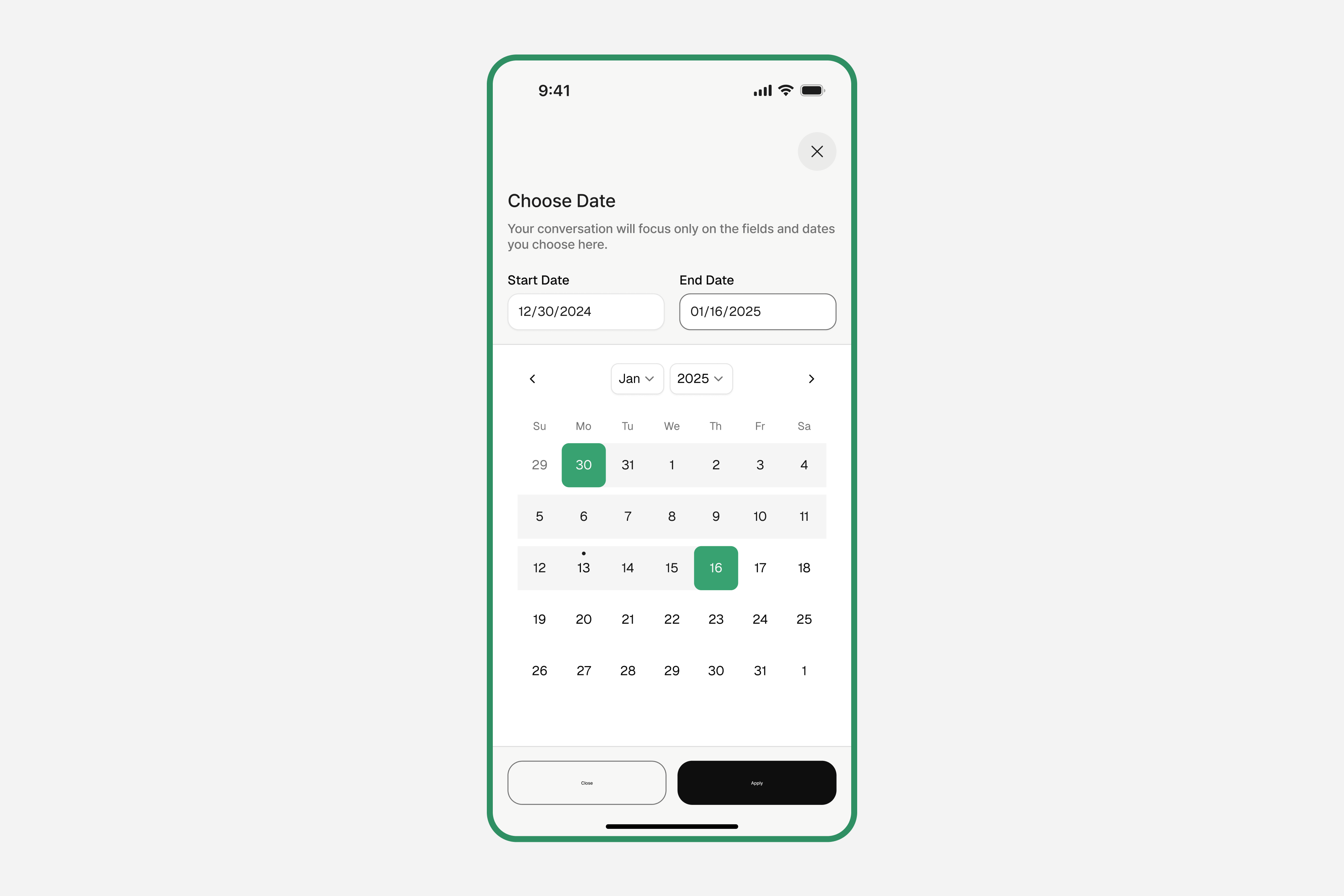
Set a date range
Optionally set a start and end date to limit Alma's context to that period.
Tap "Apply"
A focus badge will appear at the top of the chat. Alma will now only reference data from that scope.
This is useful when you want to ask: 'What did we do in the north vineyard during harvest season?'
Managing Chat History
View past conversations
Tap the clock (🕐) icon in the top-right corner of the Chat screen to see all your previous conversations with Alma.
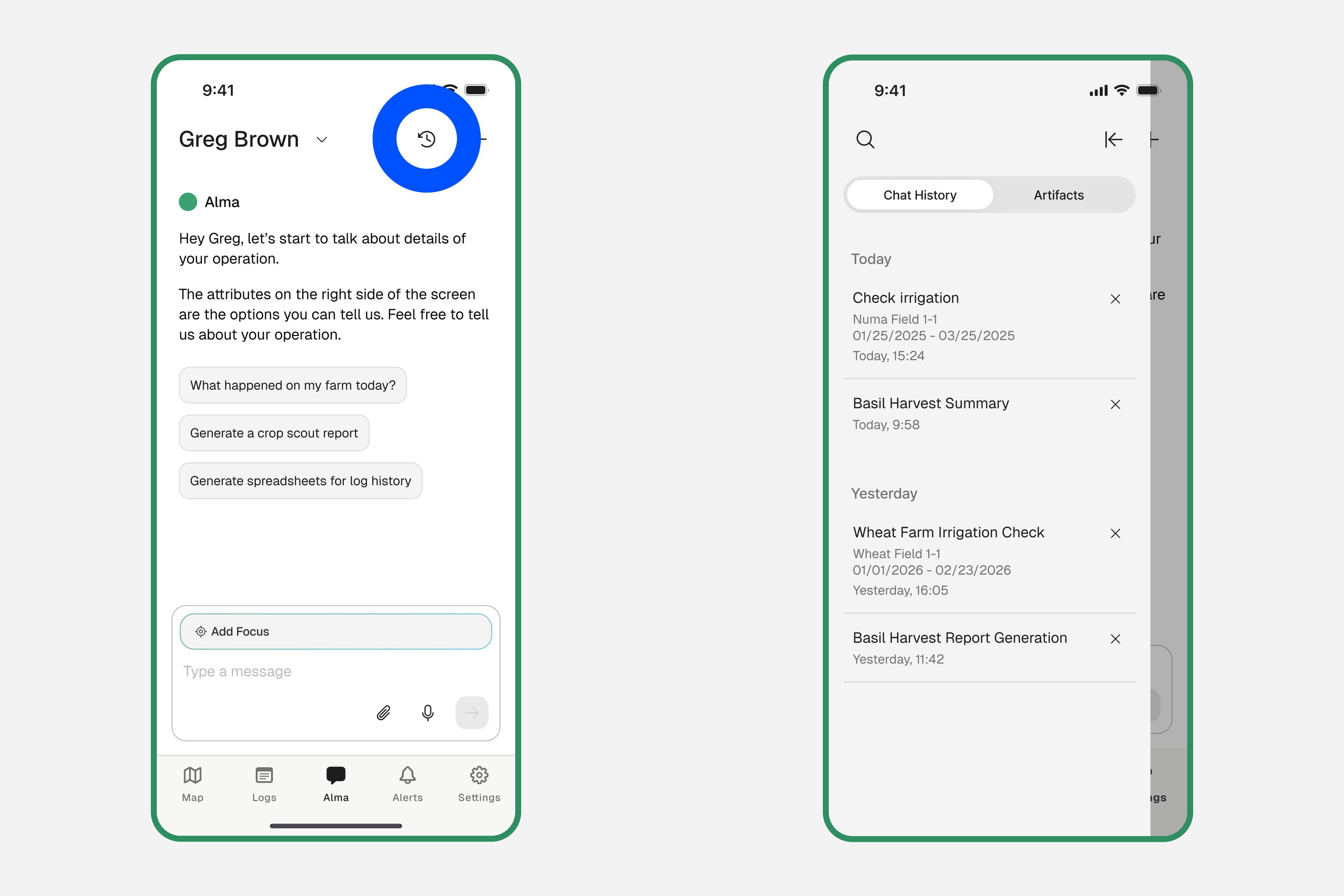
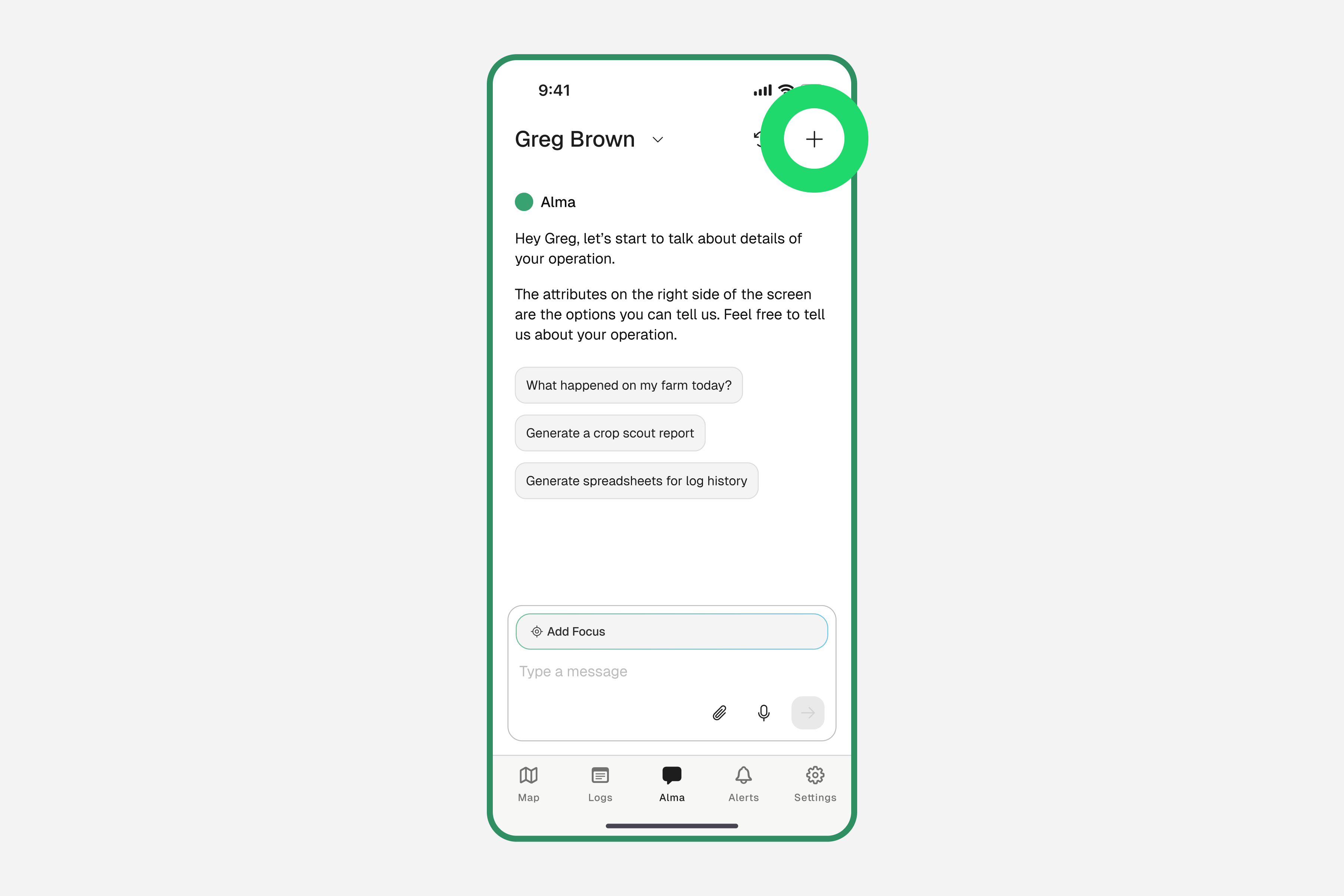
Start a new conversation
Tap the "+" button to start a fresh chat. This keeps your conversations organized by topic.