

Add to Home Screen
Install Numanac on iPhone or Android so it opens like a native app.
Why Add to Home Screen?
Once added, Numanac behaves like a native app on your phone.
One tap to open
Launch Numanac directly from your home screen — no browser needed.
Full screen
Opens without the browser toolbar, giving you more space.
Works offline
Loads faster and retains your session between visits.
iPhone — Safari
This only works in Safari. If you are using Chrome or another browser on iPhone, open site.numanac.com in Safari first.
Open Safari and go to site.numanac.com
Type the address into the Safari address bar and open the Numanac website.
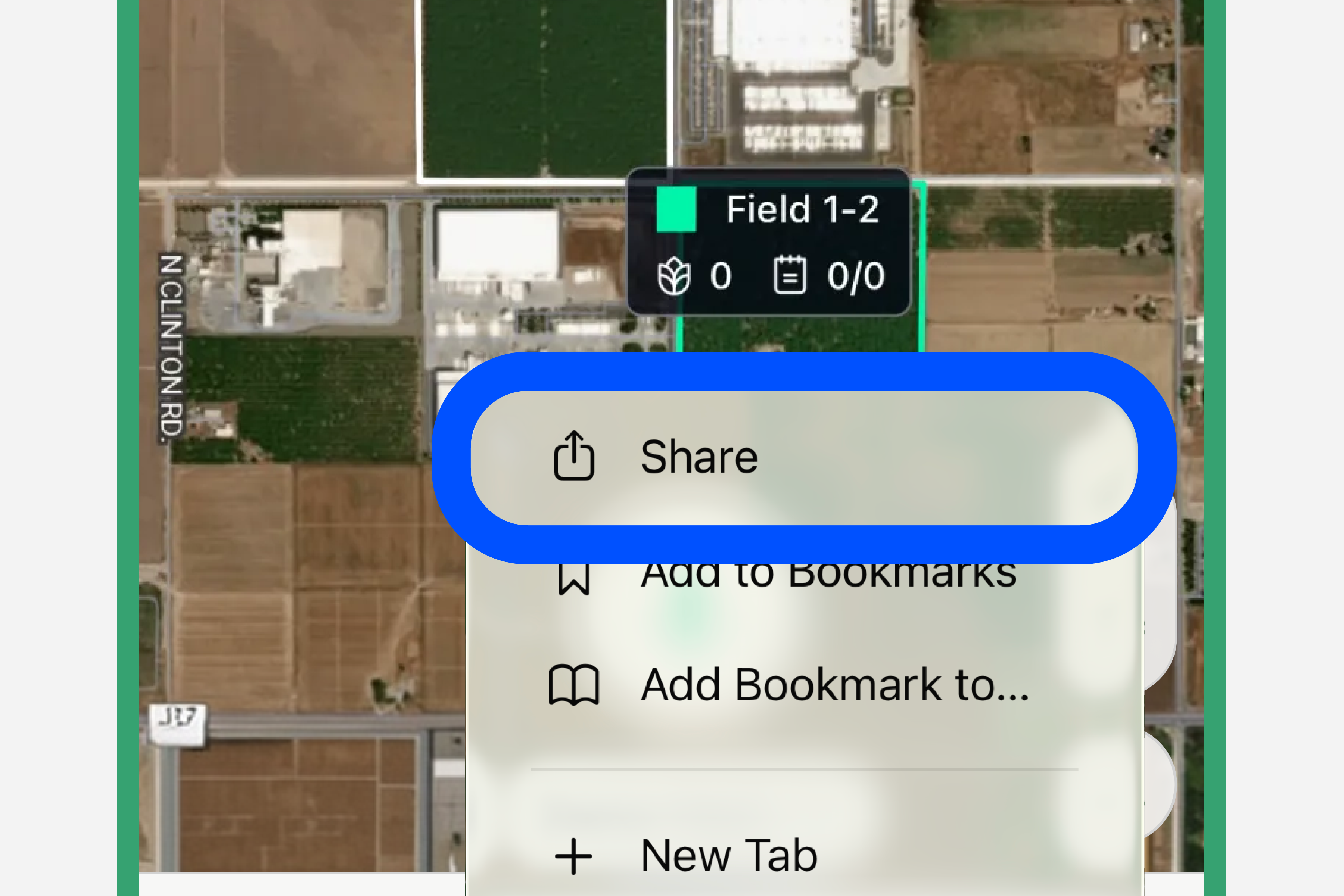
Tap the ··· menu, then tap Share
At the bottom of the screen, tap the ··· (three dots) button first. In the menu that appears, tap the Share icon (square with an arrow pointing up ↑).
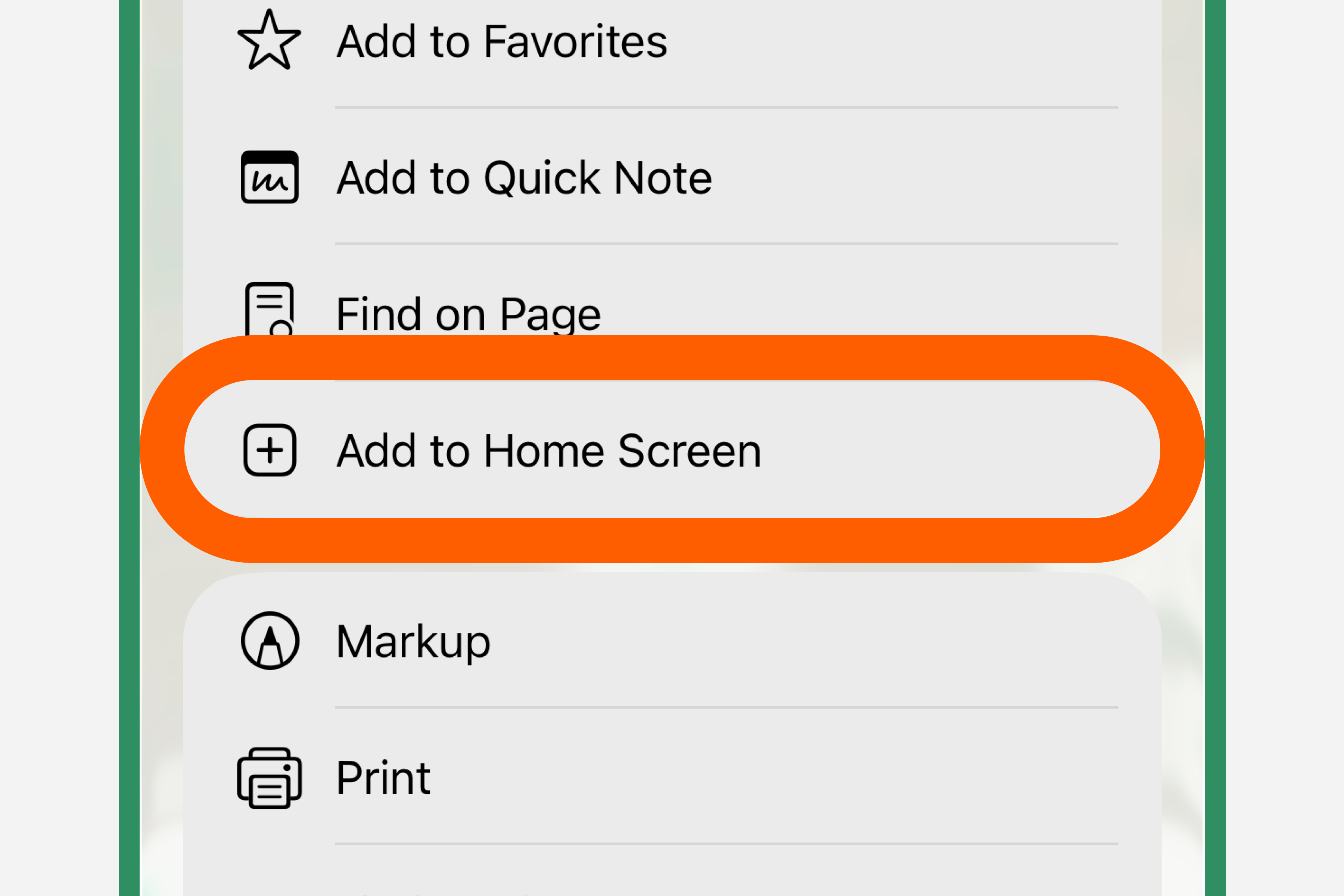
Scroll down and tap "Add to Home Screen"
A menu will appear. Scroll through the options and tap "Add to Home Screen".
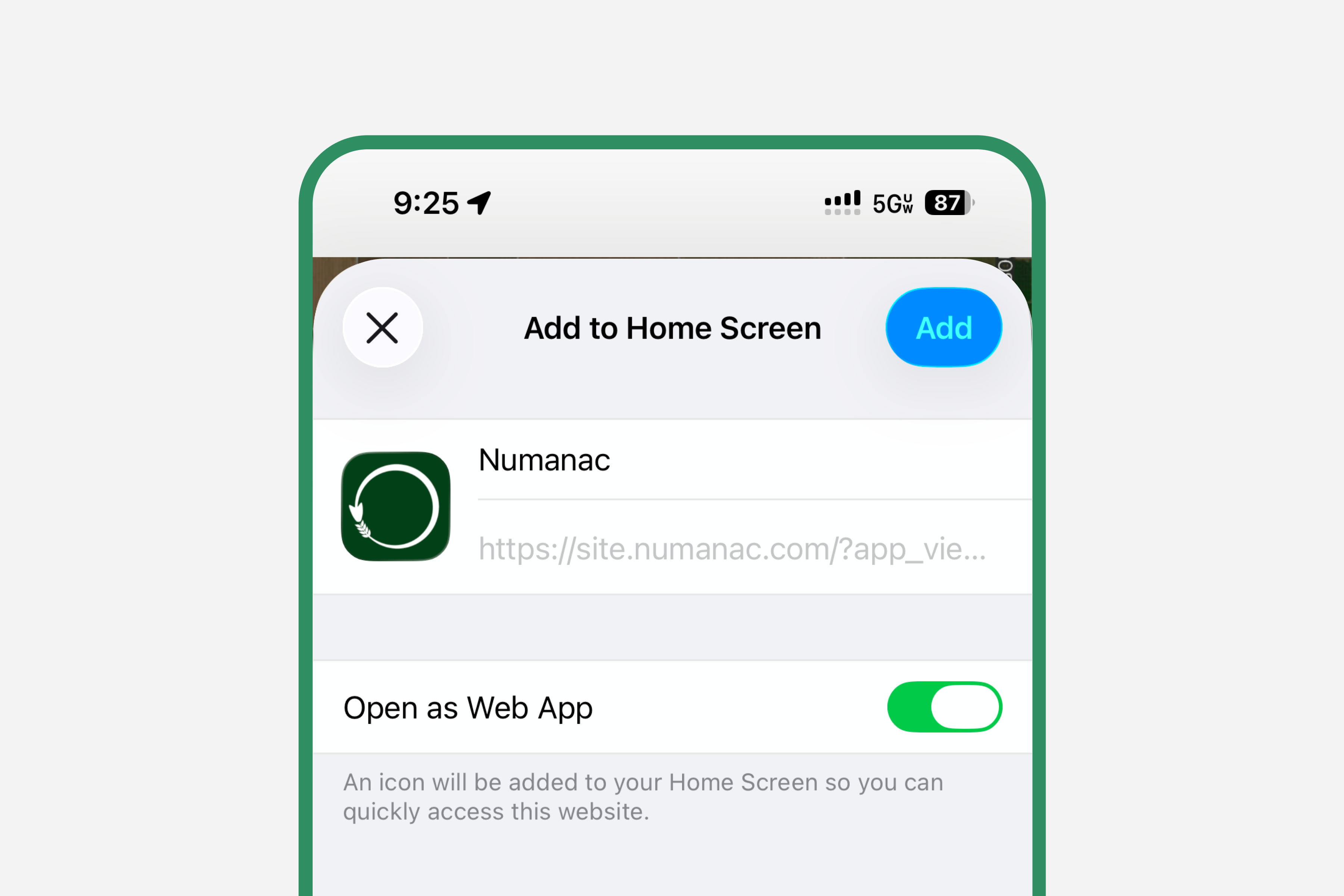
Name it and tap Add
You can rename the shortcut if you like. Then tap "Add" in the top-right corner.
The Numanac icon will appear on your home screen. Tap it anytime to open the app instantly.
If you don't see the Share button, scroll up on the page first — it appears at the bottom of the Safari browser.
Android — Chrome
On Android, use the Chrome browser for the best experience.
Open Chrome and go to site.numanac.com
Type the address into the Chrome address bar and open the Numanac website.
Tap the three-dot menu in the top right
Tap the ⋮ icon in the upper-right corner of Chrome to open the menu.
Tap "Add to Home screen"
Find and tap "Add to Home screen" in the menu. On some Android versions this may appear as "Install app".
Confirm by tapping Add
A dialog will appear. Tap "Add" to place the Numanac shortcut on your home screen.
The Numanac icon will now appear on your Android home screen, ready to open with one tap.
If you see a browser prompt at the bottom of the screen saying "Add Numanac to Home screen", you can tap that directly — it's a shortcut to the same step.